Best Laptops Under £500 for 2026 in the UK
Shopping for a decent laptop under £500 used to mean settling for something slow, dim and vaguely miserable. In 2026, that’s not quite the case — but you do still need to pick carefully, because some budget machines are cracking value and others are all compromise.
TL;DR — Our Top Picks at a Glance
- Acer Aspire 3 — Best overall. Strong everyday performance with a sensible spec balance. From around £500
- Dell Inspiron 15 3520 — Best value. Surprisingly capable Intel 12th-gen performance for the money. From £439
- HP Chromebook Plus 15.6 — Best Chromebook. Excellent battery life and a much nicer screen than you’d expect. From £299
- Samsung Galaxy Book 4 — Best design. Premium look and modern spec at sale prices. From around £400
- Acer Aspire Go 15 — Best cheap alternative. Solid basics if your budget really can’t stretch. From around £349
Want the full breakdown? Keep reading for detailed reviews, specs, and our comparison table.
Top Picks with Detailed Reviews
1. Acer Aspire 3
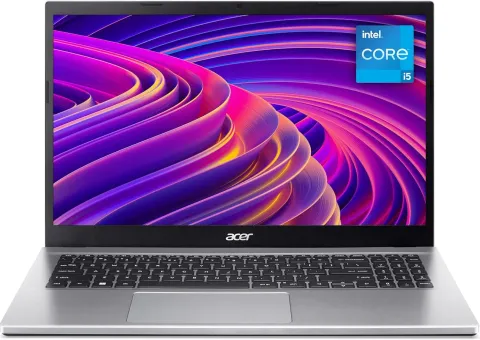
- Display & Performance: The Acer Aspire 3 is the one I’d point most people towards first, simply because it gets the basics right. The standout configuration uses an AMD Ryzen 5 processor with 8GB of RAM and a 512GB SSD, which is a very healthy spec at this end of the market. The 15.6-inch Full HD display gives you enough space for documents, Netflix and light spreadsheet work, and it doesn’t feel cramped the way cheaper 14-inch panels sometimes do. In use, it’s comfortably quick enough for web browsing, Office work, streaming and general day-to-day multitasking, though it does start to feel stretched if you’ve got loads of apps open at once. Brightness is only around 223 nits, so it’s not ideal outdoors.
- Build Quality: Acer’s done a decent job here. It feels more solid than a lot of bargain-bin Windows laptops, and practical touches like BlueLightShield are genuinely useful if you spend hours staring at the screen. The keyboard is good rather than brilliant, with slightly firmer action than pricier rivals, while the touchpad is serviceable but a bit stiff.
- Battery Life: Expect roughly 6.5 hours in mixed real-world use. That’s fine for home, lectures or hopping between meetings, but it’s not an all-day machine unless you pack the charger.
- Pricing: Higher-spec versions sit around the £500 mark, with the Ryzen 5/8GB/512GB configuration often pushing just above it depending on retailer discounts.
- Ideal User: Anyone who wants a no-nonsense Windows laptop for general home use, schoolwork or office basics.
2. Dell Inspiron 15 3520
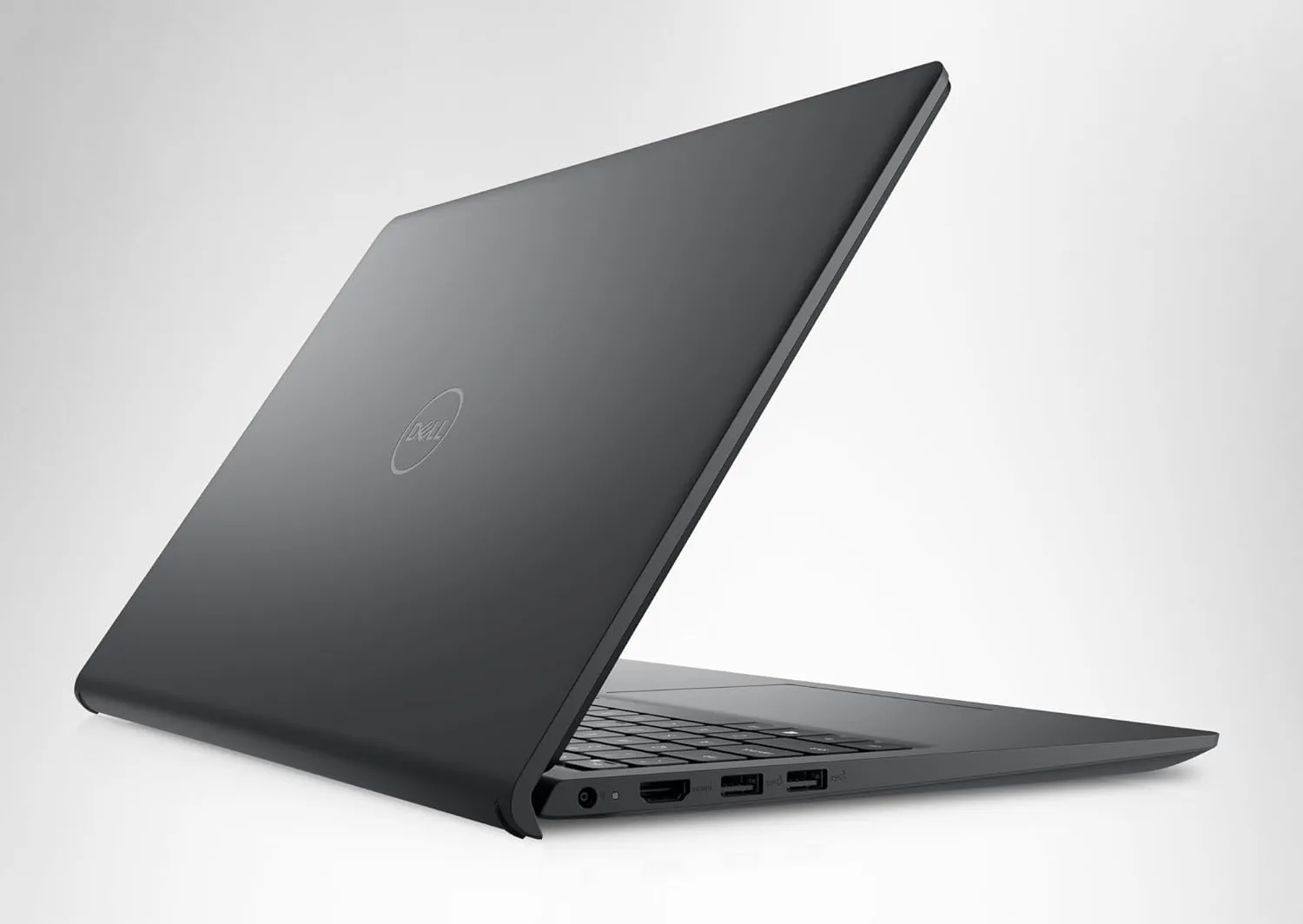
- Display & Performance: Dell’s Inspiron 15 3520 is the value pick because it punches above its price. Even the entry-level version with an Intel Core i3-1215U, 8GB of RAM and a 512GB SSD feels more capable than the badge suggests. That 12th-gen chip has six cores and performs better in everyday work than many older Core i5 laptops, which is exactly why this machine makes so much sense for students and budget-conscious buyers. Boot times of around 12 to 16 seconds keep it feeling modern, and it copes well with browser tabs, Teams calls and document work. If you can find the Full HD 120Hz display version near budget, that’s the one to get.
- Build Quality: It’s plainly styled, but Dell tends to get the fundamentals right. You’re not buying this for glamour; you’re buying it because it’s practical, reasonably well put together and easy to live with. Ports are strong too, with USB-A, USB-C, HDMI and the usual headphone jack all accounted for.
- Battery Life: This is where the cracks show. In proper day-to-day use, you’re realistically looking at around 2.5 to 3 hours, which is poor by current standards. Fine on a desk, less so on a train.
- Pricing: The sweet spot is roughly £439 to £500 for the Core i3 model with 8GB RAM and 512GB SSD.
- Ideal User: Students, home workers and anyone who wants the most performance possible for the least money.
3. HP Chromebook Plus 15.6
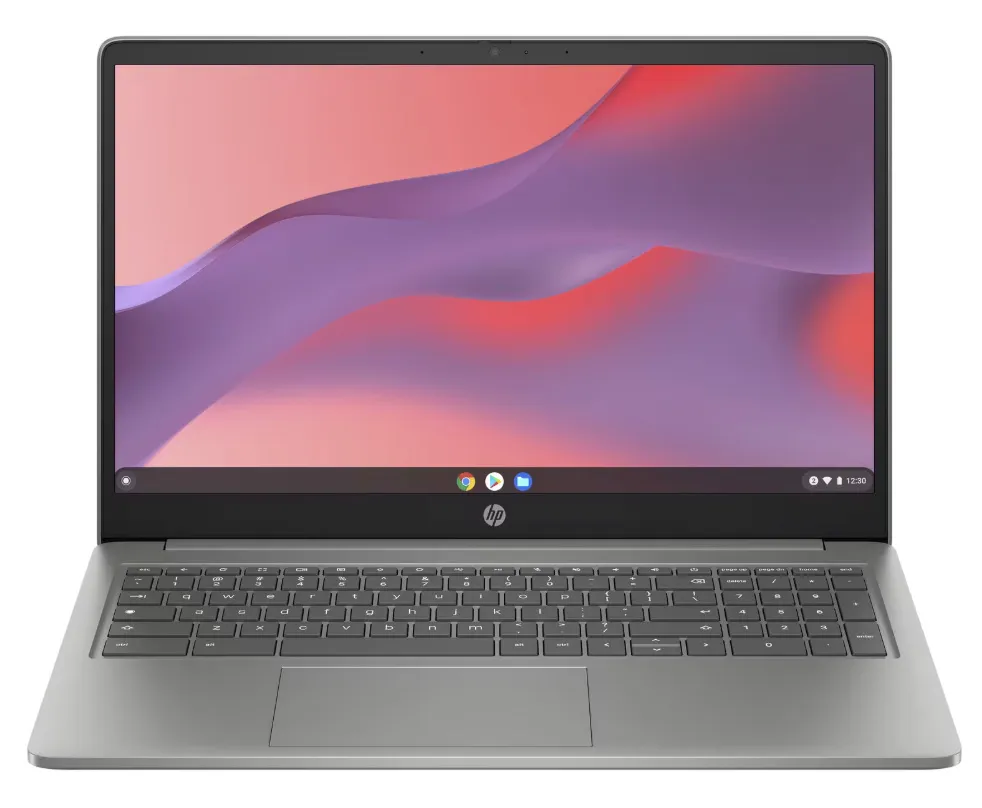
- Display & Performance: If your life happens mostly in Chrome, Google Docs, Gmail and streaming apps, the HP Chromebook Plus 15.6 is arguably the smartest buy here. The 15.6-inch Full HD IPS display is one of the nicest screens you’ll get for the money, with strong colours, decent contrast and around 300 nits of brightness. Inside, the Intel Core i3 N305, 8GB of RAM and 256GB of UFS storage give Chrome OS plenty to work with. It feels quick, snappy and very light on its feet, even with loads of tabs open. For cloud-first workflows, that matters more than raw benchmark bragging rights.
- Build Quality: This is one of the big surprises. It feels far more polished than many cheap Windows laptops, and there’s a tidy, almost mid-range quality to the design. The speakers are also better than expected, which helps if you’re regularly in video calls or watching films.
- Battery Life: Excellent. Properly excellent. Testing puts it at around 10 hours 41 minutes of video playback, and in normal mixed use it’ll generally deliver 10 to 11 hours. That’s the sort of stamina Windows rivals under £500 just can’t match.
- Pricing: Usually between £299 and £399 depending on sales.
- Ideal User: Students, casual home users and remote workers who live in browser-based apps and want battery life above all else.
4. Samsung Galaxy Book 4
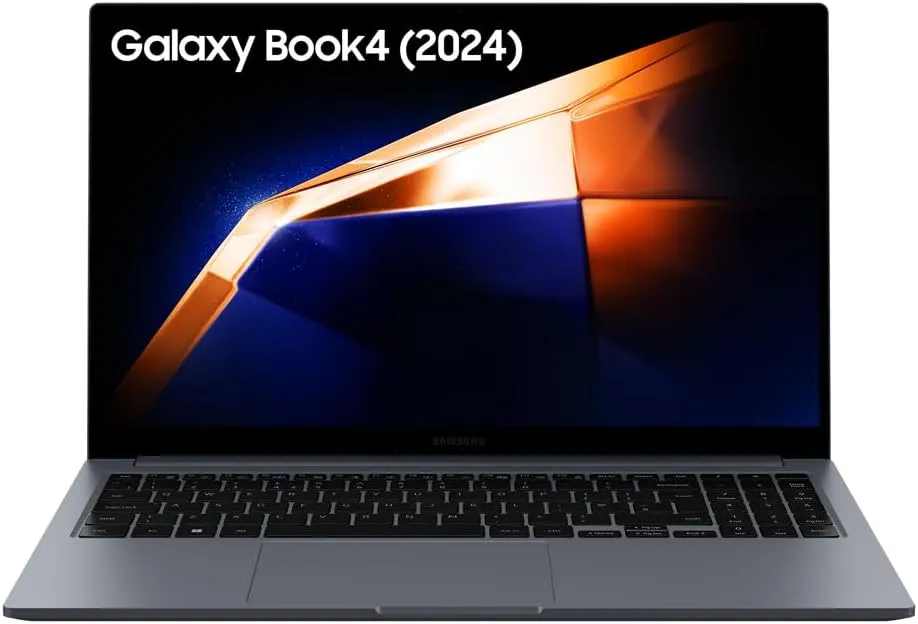
- Display & Performance: The Galaxy Book 4 is the stylish one in this group. Samsung has managed to give it the look and feel of a more expensive ultraportable, and when discounts kick in, it becomes seriously tempting. Recommended configurations include 8GB of DDR5 RAM and a 512GB SSD, with pricing occasionally dropping to roughly £400. At that level, it looks like a steal. The Intel Core 7 150U is more than enough for everyday productivity, media use and light multitasking, without turning the chassis into a hand warmer.
- Build Quality: This is really the reason to buy it. The design is slim, clean and premium-looking in a way most sub-£500 laptops simply aren’t. If you care how your laptop looks on a desk or in a lecture hall, Samsung’s clearly ahead of the pack here.
- Battery Life: Exact real-world figures vary by configuration and retailer model, but the hardware is aimed at efficient day-to-day use rather than brute-force performance. Expect respectable stamina for general work, though not Chromebook-level endurance.
- Pricing: Official pricing can be much higher, but sale pricing around £400 to £600 is what makes it relevant to this list. Under £500, it’s worth grabbing.
- Ideal User: Buyers who want a budget laptop that doesn’t look budget, and who are happy to shop around for a deal.
5. Acer Aspire Go 15
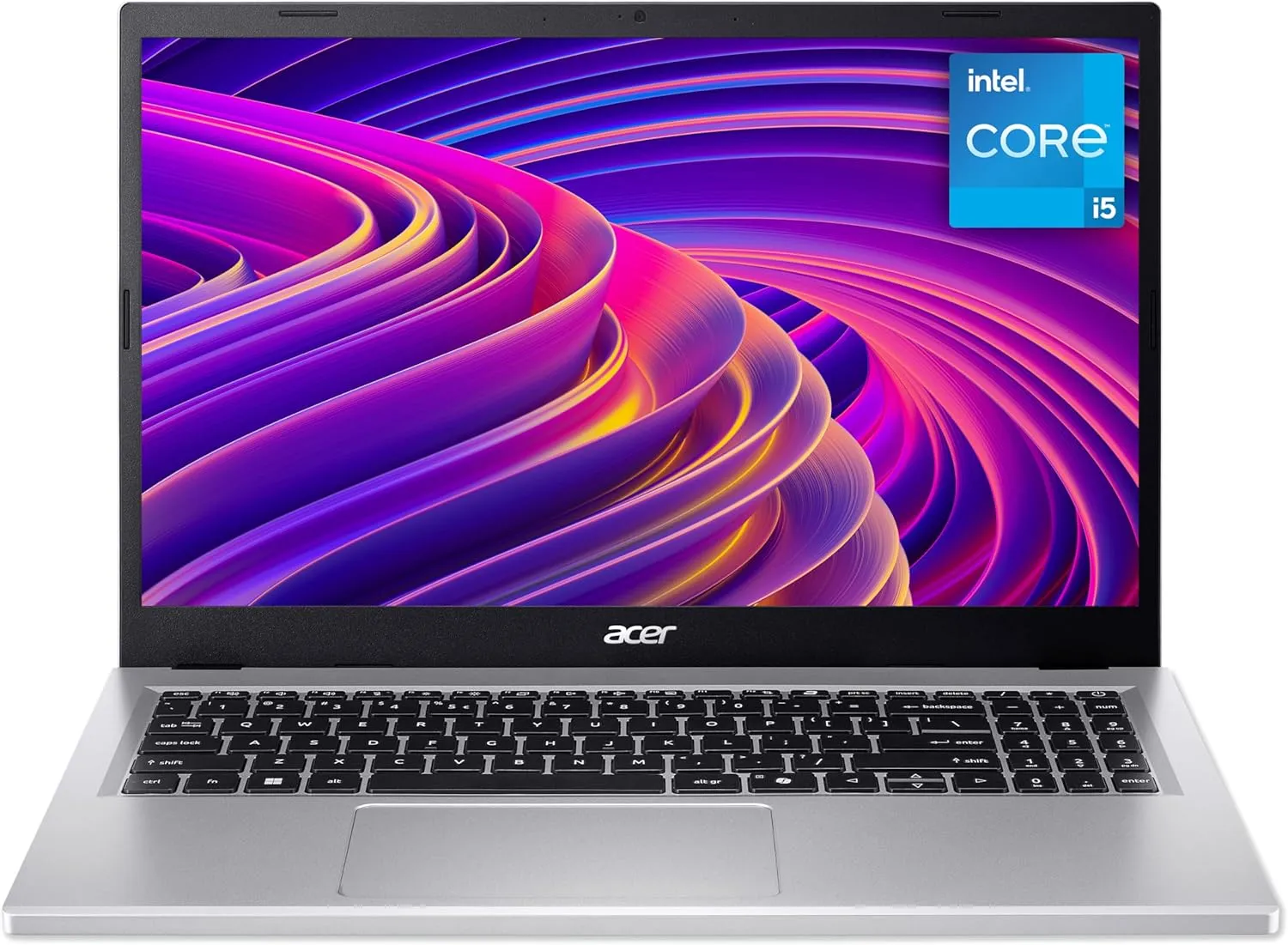
- Display & Performance: Not everyone has a full £500 to spend, and that’s where the Acer Aspire Go 15 comes in as a sensible lower-cost option. It’s not the fastest thing here, and you absolutely shouldn’t expect premium performance, but for basic tasks it does the job. Think emails, web browsing, coursework, video streaming and admin rather than serious creative work. It sits below the Aspire 3 in Acer’s range, so expectations need to be realistic.
- Build Quality: As with most entry-level Acer machines, it’s functional rather than exciting. Still, Acer tends to avoid major own goals in this category, and the overall package is straightforward and usable.
- Battery Life: Battery life varies by exact specification, but it’s generally aimed at routine daily use rather than all-day unplugged work. You’ll likely want the charger nearby if you’re using it heavily.
- Pricing: Around £349 makes it one of the more affordable recognisable-brand choices.
- Ideal User: Shoppers on a tighter budget who still want a current, mainstream laptop from a known brand.
Comparison Table
| Model | Processor | RAM | Storage | Display | Price |
|---|---|---|---|---|---|
| Acer Aspire 3 | AMD Ryzen 5 | 8GB | 512GB SSD | 15.6-inch Full HD | Around £500 |
| Dell Inspiron 15 3520 | Intel Core i3-1215U | 8GB | 512GB NVMe SSD | 15.6-inch HD or Full HD | £439-£500 |
| HP Chromebook Plus 15.6 | Intel Core i3 N305 | 8GB | 256GB UFS | 15.6-inch Full HD IPS | £299-£399 |
| Samsung Galaxy Book 4 | Intel Core 7 150U | 8GB DDR5 | 512GB SSD | Varies by configuration | Around £400-£600 on sale |
| Acer Aspire Go 15 | Entry-level configuration varies | Varies | Varies | 15.6-inch class display | Around £349 |
Buying Guide
-
Performance Needs: The first question is simple: do you actually need Windows? If you rely on full desktop apps, local file management, older software or anything specific to work, then yes, you probably do. In that case, the Acer Aspire 3 and Dell Inspiron 15 3520 are the safest bets. But if your world is mostly browser tabs, Google Workspace, Zoom and streaming, a Chromebook is often the better laptop full stop. TechRadar and other reviewers have been making this point for a while, and budget buyers are finally catching on. Chrome OS simply runs better on cheaper hardware.
-
Budget Considerations: Under £500, every spec decision matters more than branding. In 2026, rising component prices — especially memory — mean manufacturers are still making hard compromises. That’s why 8GB RAM has effectively become the minimum you should accept. I wouldn’t recommend 4GB on a Windows laptop now unless it’s for very light use. Storage matters too: 256GB is workable, but 512GB gives you far more breathing room and tends to make a laptop feel usable for longer.
-
Build Quality vs Price: This is where buyers often get caught out. A cheap laptop with a flimsy hinge, poor keyboard and awful screen can feel outdated in six months, even if the processor is technically decent. Which? regularly points out that usability matters just as much as specs, and that’s bang on. A slightly slower machine with a better keyboard, stronger battery and nicer display is often the better buy. That’s exactly why the HP Chromebook Plus 15.6 scores so well. Likewise, Samsung’s Galaxy Book 4 gets attention because it feels more expensive than it is.
A few quick buying tips. Try to get Full HD rather than HD if you can. Prioritise 8GB RAM minimum. Don’t overspend on style if battery life matters more. And if you’re buying for a student, weight and charger size matter more than most spec sheets suggest.
Conclusion
If I were spending my own money under £500, the Acer Aspire 3 would be the safest all-round pick. It’s not flashy, and it definitely isn’t perfect, but it strikes the best balance between performance, usability and sensible compromises.
That said, there’s no single winner for everyone. The Dell Inspiron 15 3520 is the bargain hunter’s choice, the HP Chromebook Plus 15.6 is easily the best option for cloud-based work, and the Samsung Galaxy Book 4 is the one to watch when discounts hit. So, what matters most to you — battery life, value, or a laptop that doesn’t look like it cost under £500?