A laptop that fits your course, not somebody else’s
A gorgeous screen is no use if your exam software won’t run on it. And a cheap Chromebook stops being a bargain pretty quickly if your degree depends on Windows applications.
Start with your course requirements. Then look for the lightest laptop with enough battery life for your day—and enough left in your budget to buy it. These seven picks cover the lot, from web-based sixth-form work to long university days spent shuttling between lectures and the library.
TL;DR — Our Top Picks at a Glance
- ASUS Zenbook 14 OLED UM3402YA — Best overall. Full Windows compatibility and unusually strong specs for the money. Around £461
- Apple MacBook Neo — Best for macOS. A portable Mac for everyday study without MacBook Air pricing. From £599 with eligible education pricing
- Acer Chromebook Plus 514 CB514-5H — Best Chromebook. A roomy SSD and taller screen for research-heavy courses. Around £419
- ASUS Chromebook Plus CX34 CX3402CVA — Best low-cost pick. The essentials done properly for web-based study. Around £289
- ASUS Vivobook 14 X1404MA — Best budget Windows laptop. Newer Intel chip and a Full HD 14-inch screen. £449
- HP Laptop 15 D37J1EA — Cheapest Windows pick. The basics at a student-friendly price. £399
- HP OmniBook 5 14" AI PC — Best premium portable pick. An OLED screen and ambitious battery claims, if Windows on ARM suits your course. £949
Want the full breakdown? Keep reading for detailed reviews, specs and our comparison table.
Top Picks with Detailed Reviews
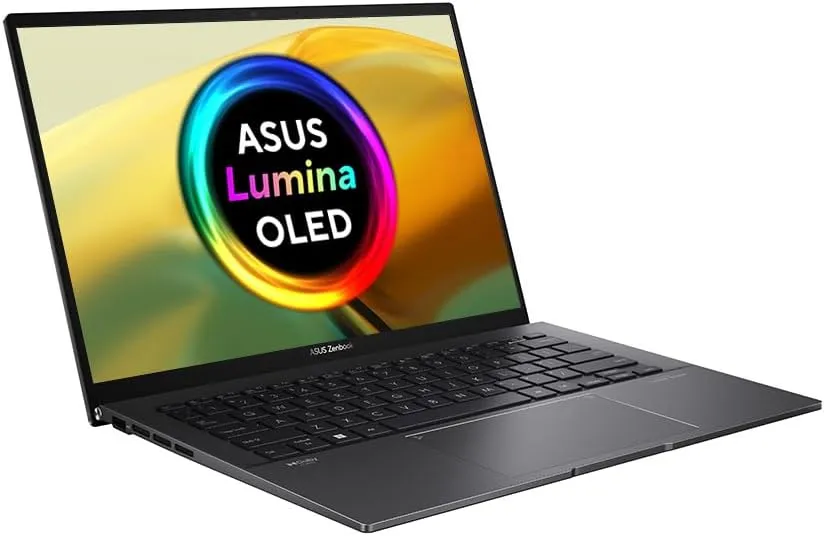
1. ASUS Zenbook 14 OLED UM3402YA
- Display & Performance: 14-inch 2.8K, 90Hz OLED; AMD Ryzen 7 7730U, 16GB RAM and a 512GB SSD.
- Build Quality: A compact 1.39kg laptop that won’t take over your bag.
- Battery Life: No dependable like-for-like test figure to quote here; don’t buy it expecting the endurance of a Snapdragon machine.
- Pricing: Listed at £460.62 on Amazon UK in October 2026.
- Ideal User: Students who need conventional Windows software and want one laptop to cover several years of work.
For around £461, the Zenbook is a lot of laptop for the money. You get the memory and storage we’d want in a Windows machine expected to last through several years of study, plus an OLED screen that makes long PDFs and busy spreadsheets easier on the eyes. Spending more doesn’t automatically buy you more useful computing power.
Its Ryzen processor runs standard x86 Windows applications, which makes this the reassuring pick if your department specifies desktop software, you’re not sure what later modules will involve, or your exam provider requires Windows. That doesn’t mean every specialist programme is guaranteed to work—you’ll still need to check its requirements—but you can sidestep the Windows-on-ARM question that comes with some battery-focused alternatives.
One note of caution: a high-resolution OLED screen and a powerful processor don’t tell us how long it’ll last through your lecture-to-library day. If you can’t be near a charger, look for a recent battery test before buying. And if your course specifically needs dedicated graphics, this isn’t a substitute.
For most students who need Windows, though, it’s the strongest value here. That £461 price leaves a bit of room for the things students tend to need, too: a sleeve, a mouse, or the course software itself.
2. Apple MacBook Neo
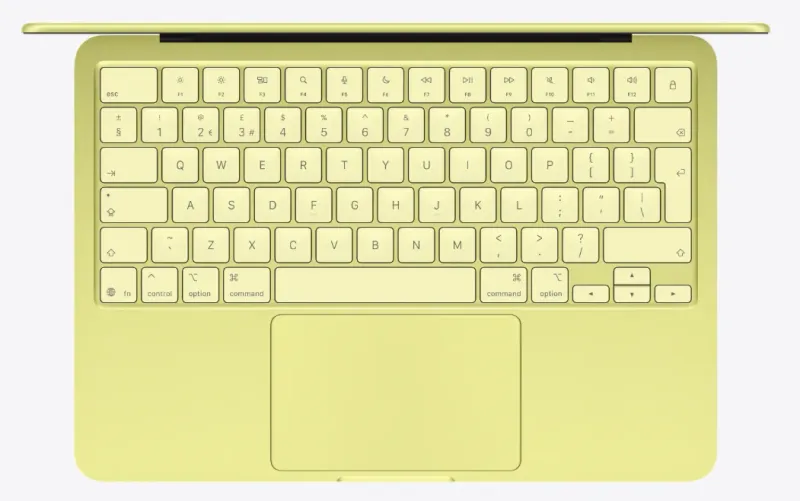
- Display & Performance: 13-inch 2408×1506 Liquid Retina display; A18 Pro chip, 8GB unified memory and a 256GB SSD in the base model.
- Build Quality: Aluminium enclosure, 1.23kg weight and an easy size to carry daily.
- Battery Life: Apple rates it for up to 11 hours of wireless web use or 16 hours of video streaming.
- Pricing: From £699 at standard retail, or from £599 with eligible UK education pricing.
- Ideal User: Students whose course supports macOS, particularly those already using an iPhone or iPad.
If you want a Mac for university, start with the Neo. It’s Apple’s most affordable current model, so there’s no need to begin with a MacBook Air just because that used to be the obvious entry point. For writing, research, presentations, video calls and lighter coding, the A18 Pro has plenty of everyday pace. And at 1.23kg, it’s easy to carry around all day.
Already have an iPhone? Small conveniences such as AirDrop and keeping photos and messages in sync can make studying across devices feel nicely straightforward. The 1080p camera is handy when a tutorial turns into a video call. Less handy: there are only two USB-C ports, and the Neo supports just one external display.
Think carefully about the base model’s 8GB of memory and 256GB SSD. They’re fine for everyday study, but large media projects, sizeable local datasets and a lot of creative software can make that storage feel cramped. If you need files on the laptop, consider the 512GB version—though even that configuration still has 8GB of memory.
Most important of all, check your department’s software and exam rules. Apple-silicon Macs can’t simply boot into native Windows through Boot Camp if an exam client turns out to be incompatible. If your course approves macOS, the Neo is an appealing way in. If it says Windows-only, take that seriously.
3. Acer Chromebook Plus 514 CB514-5H
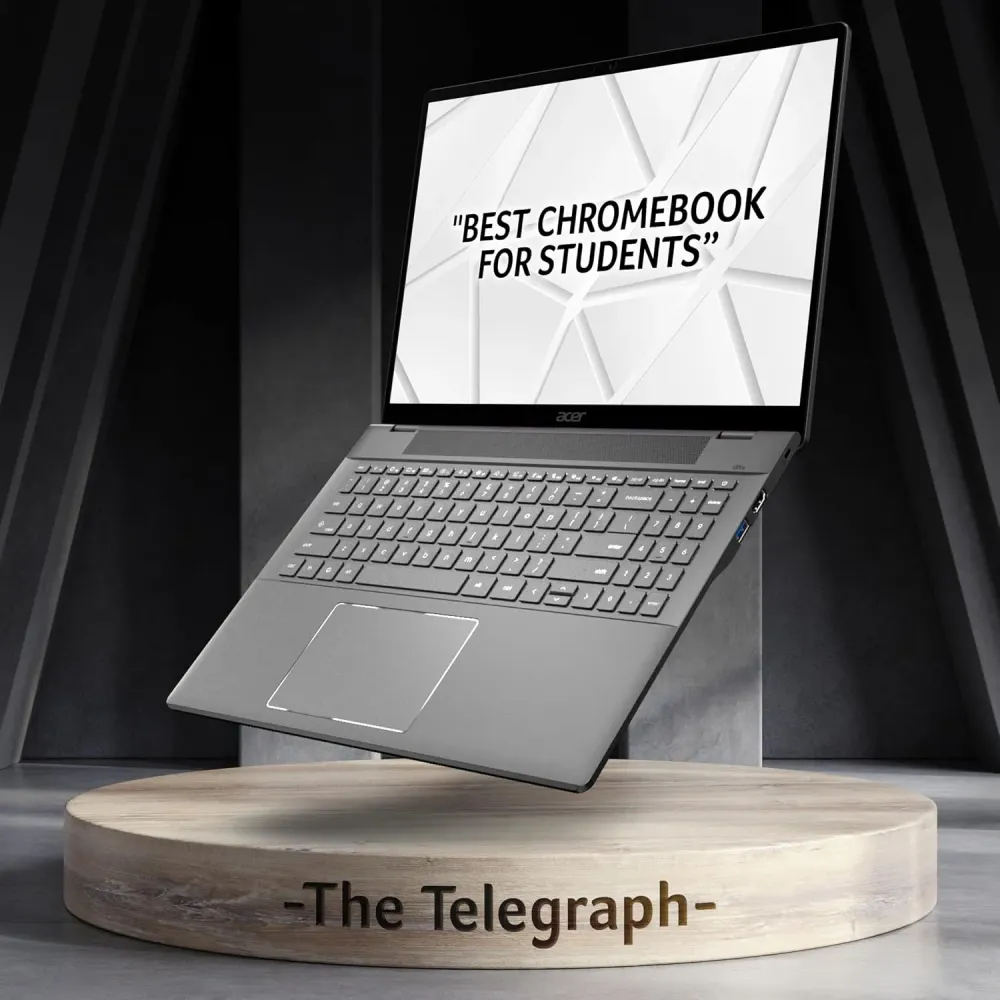
- Display & Performance: 14-inch 1920×1200 IPS display; Intel Core 5 120U, 8GB RAM and a 512GB SSD.
- Build Quality: A practical 14-inch format rather than a cumbersome large-screen Chromebook.
- Battery Life: No specific tested runtime is available for this configuration, so allow for charging rather than assuming an all-day result.
- Pricing: Listed at £419 on Amazon UK in October 2026.
- Ideal User: Essay- and research-heavy students whose required work runs in web or compatible Android apps.
A Chromebook can be a good student buy—but only once you’ve checked that your course works on ChromeOS. This Acer is worth a look if you have, and you’d like something roomier than the cheapest models.
That 1920×1200 screen gives you a bit more vertical space for notes and articles. It’s a modest difference on paper, but useful when you’re reading for hours rather than watching a film. The 512GB SSD is the standout feature: it offers much more space for lecture material, downloaded papers and offline files than the 128GB storage common on cheaper Chromebooks. The Core 5 processor and 8GB RAM are well suited to the usual mix of documents, calls and browser tabs.
Still, extra storage and a capable processor won’t remove ChromeOS’s limits. They won’t let you install a native Windows-only statistics package or engineering tool. Android apps and browser versions may do the job, but they aren’t always the same as the software your lecturer uses.
Here’s the price wrinkle: at the UK prices listed, this Acer costs only about £42 less than the Zenbook. If there’s any doubt about compatibility, the Windows laptop is better insurance. Choose the Acer when you know ChromeOS will do what you need—and you like its simpler approach to everyday study.
4. ASUS Chromebook Plus CX34 CX3402CVA
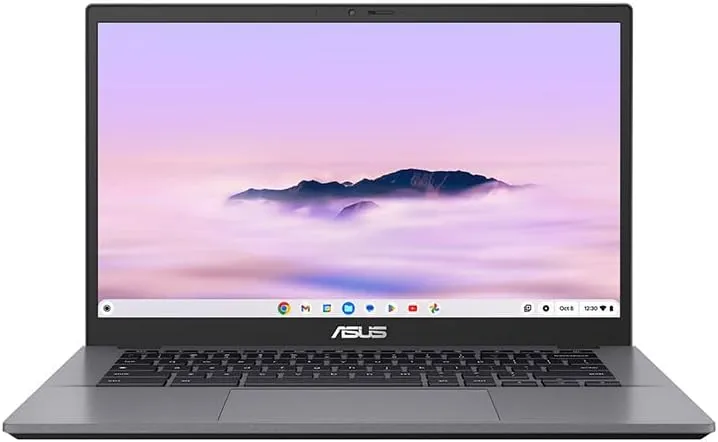
- Display & Performance: 14-inch 1080p display; Intel Core 3 100U, 8GB RAM and 128GB UFS storage.
- Build Quality: Weighs about 1.44kg and includes a 1080p webcam with a privacy shutter.
- Battery Life: ASUS claims up to 10 hours from its 50Wh battery.
- Pricing: Listed at £289 on Amazon UK in October 2026.
- Ideal User: A student on a web-based course who wants to keep the purchase comfortably below £300.
On a tight budget, this is the Chromebook I’d look at before settling for one of the tempting 4GB models. Eight gigabytes of memory, a Full HD screen and faster UFS storage make for a more sensible choice if you’re hoping to use it for several terms, not just the first week back. The webcam privacy shutter is a small but welcome extra for all those calls.
Its appeal is refreshingly simple. The CX34 is built for the sort of work many students actually do: browser notes, online lessons, video calls, PDFs and documents stored in the cloud. At about 1.44kg, it won’t be a chore to carry on the bus or across campus.
There’s a trade-off, of course. The 128GB of storage is just a quarter of what you get with the Acer Chromebook Plus 514. That’ll be fine if most of your files live in the cloud and you’ve got reliable internet, but less convenient if you download lecture recordings or need lots of material available offline. ASUS’s ‘up to 10 hours’ battery figure is a manufacturer claim, too—not a promise that you’ll breeze through every day without a charger.
And the ChromeOS check still matters. Before buying, confirm that your exam browser, required apps and any Android apps work as expected. If they do, £289 gets you a credible study laptop. If they don’t, it’s the wrong choice at any price.
5. ASUS Vivobook 14 X1404MA
- Display & Performance: 14-inch Full HD, 60Hz display; Intel Core 5 320, 8GB RAM and a 256GB SSD.
- Build Quality: A compact 14-inch format that’s easier to carry than the 15.6-inch budget laptops.
- Battery Life: ASUS and Currys claim up to 20 hours. That’s a manufacturer claim, not a measured result, so expect less on a real day of lectures and tabs.
- Pricing: £449 at Currys, shown as a £250 saving.
- Ideal User: Students who need a proper Windows laptop for desktop software and have a firm budget ceiling.
If you need Windows and can’t stretch to the Zenbook, this is the one I’d start with. It runs standard x86 Windows software, so there’s no emulation question to worry about, and the Core 5 chip is from Intel’s newer 300 series rather than the older generations that fill a lot of budget shelves. A 14-inch Full HD screen is a sensible size for a bag and a library desk.
The compromises are the usual budget ones. Eight gigabytes of RAM and a 256GB SSD are the minimum I’d accept on Windows, so keep lecture recordings and big media files in the cloud or on an external drive. The 60Hz panel is fine for documents and video calls but isn’t built for colour-critical work. And that ‘up to 20 hours’ figure is a headline claim, so treat it as a best case.
Check the full price in the basket before you commit, because Currys deals move. If £449 stretches things, the HP below saves you £50, though you give up the newer processor.
6. HP Laptop 15 D37J1EA
- Display & Performance: 15.6-inch Full HD display; AMD Ryzen 3 7320U, 8GB RAM and a 256GB SSD.
- Build Quality: A plain, entry-level plastic design in a larger 15.6-inch size.
- Battery Life: HP’s listing doesn’t give a battery figure, so check before you buy and plan on carrying a charger.
- Pricing: £399 at HP’s UK store, reduced from £449.99.
- Ideal User: Students on a very tight budget who mostly work at a desk and need Windows for Office, research and video calls.
At £399, this is the cheapest Windows laptop I’d consider for university. You get a Full HD screen, an SSD and Windows 11, which covers Microsoft 365, web research, streaming and video calls without fuss.
Here’s the catch. The Ryzen 3 7320U is a 2022 entry-level chip, noticeably behind the Core 5 in the Vivobook, and it will feel the strain with lots of browser tabs plus a video call. Eight gigabytes of RAM and 256GB of storage leave little headroom, and the 15.6-inch body is bulkier to carry around all day.
It’s the sensible choice if the budget is fixed at around £400 and your course work is mostly documents and the web. If you can find another £50, the Vivobook is the better long-term buy.
7. HP OmniBook 5 14" AI PC
- Display & Performance: 14-inch 1920×1200 OLED; Snapdragon X X1-26-100, 16GB RAM and a 512GB SSD.
- Build Quality: A slim, travel-minded design with a useful 14-inch screen size.
- Battery Life: HP claims up to 34 hours in its advertised battery figures and up to 26.5 hours of video playback; expect different results in mixed coursework.
- Pricing: £949 at HP’s UK store. Check whether any student offer actually applies to this configuration before budgeting for a discount.
- Ideal User: Students who spend long days away from mains power and have verified that their applications work on Windows on ARM.
At £949, the OmniBook is a proper stretch—and it needs a good reason to be on your shortlist. Its 59Wh battery, 16GB RAM, 512GB storage and OLED screen make a compelling combination if you spend long days commuting or moving between buildings. The 1920×1200 display also gives you a little more room for reading than a standard 1080p panel.
Don’t take the battery headline too literally. HP’s figures come from particular test conditions, not a day packed with video calls, dozens of tabs and coursework. Even so, this laptop is clearly designed with battery life in mind. Fast charging to around 50% in roughly 45 minutes could be useful when you’ve only got time for a quick break.
Compatibility is the bigger question. Snapdragon X runs Windows on ARM. Plenty of mainstream study apps should be fine, but specialist software, older utilities and some device drivers may need emulation—or may not work as your course expects. An exam client is not something you want to test for the first time on exam day. Get clear confirmation for anything you rely on.
One more thing: an advertised ‘up to 25% off HP’ student promotion doesn’t guarantee a discount on this particular laptop. At £949, the OmniBook makes sense if you genuinely need its mobility and display. Most students can spend less and still get on perfectly well.
Comparison Table
| Model | Processor | RAM | Storage | Display | Price |
|---|---|---|---|---|---|
| ASUS Zenbook 14 OLED UM3402YA — Windows | AMD Ryzen 7 7730U | 16GB | 512GB SSD | 14-inch 2.8K, 90Hz OLED | £460.62 |
| Apple MacBook Neo — macOS | Apple A18 Pro | 8GB | 256GB SSD | 13-inch 2408×1506 Liquid Retina | £699; from £599 education |
| Acer Chromebook Plus 514 CB514-5H — ChromeOS | Intel Core 5 120U | 8GB | 512GB SSD | 14-inch 1920×1200 IPS | £419 |
| ASUS Chromebook Plus CX34 CX3402CVA — ChromeOS | Intel Core 3 100U | 8GB | 128GB UFS | 14-inch 1080p | £289 |
| ASUS Vivobook 14 X1404MA — Windows | Intel Core 5 320 | 8GB | 256GB SSD | 14-inch Full HD, 60Hz | £449 |
| HP Laptop 15 D37J1EA — Windows | AMD Ryzen 3 7320U | 8GB | 256GB SSD | 15.6-inch Full HD | £399 |
| HP OmniBook 5 14" AI PC — Windows on ARM | Snapdragon X X1-26-100 | 16GB | 512GB SSD | 14-inch 1920×1200 OLED | £949 |
Buying Guide
-
Performance Needs: Get the course software list before choosing an operating system. Ask about secure exams, required peripherals and later-year modules, too. A web-based first term doesn’t prove the whole degree will work on ChromeOS. For named Windows applications, a laptop with an Intel or AMD processor is the least complicated option; check compatibility for both Windows on ARM and macOS. If you want a Windows laptop to last through university, 16GB RAM and a 512GB SSD are sensible targets. On a tighter budget, the Vivobook 14 and HP Laptop 15 both come with 8GB and 256GB, which is workable if you keep big files in the cloud. Eight gigabytes can be perfectly reasonable on a Chromebook Plus, while the MacBook Neo’s 8GB and 256GB base model is better suited to lighter workloads.
-
Budget Considerations: Compare the same configuration at Amazon UK, Currys, John Lewis and the manufacturer before paying. Eligible buyers can get the Neo from £599 through Apple’s UK education store. Student Beans offers may help with other models, but ‘up to’ discounts don’t necessarily apply to every laptop. Check your eligibility and the price in the basket, not just the promotional banner. If you’ll carry the laptop every day, leave room in your budget for a sleeve or accidental-damage cover. A cheaper model that needs replacing halfway through your course isn’t always the cheaper option in the long run.
-
Build Quality vs Price: Specs won’t tell you whether the keyboard’s comfortable after an afternoon of typing, how the screen looks under library lights, or whether you’ll sound clear on calls. If you can, spend ten minutes trying the keyboard and trackpad in a shop. For battery life, look at independent tests as well as the advertised figures: reviewers such as Expert Reviews report measured runtimes, which are more useful than a manufacturer’s maximum video-playback claim. And think about the kit you already own. iPhone users may enjoy the Neo’s device integration; if you use unusual USB equipment, check the ports, drivers and any adapter costs before you buy.
Conclusion
Editor’s Choice: ASUS Zenbook 14 OLED UM3402YA. At around £461, it pairs 16GB RAM and a 512GB SSD with a lovely screen and conventional Windows compatibility. It’s the best first stop if you haven’t settled on a platform yet. If your course supports macOS, the lighter MacBook Neo is a lovely alternative. If you need Windows on a tighter budget, the ASUS Vivobook 14 at £449 and the HP Laptop 15 at £399 get you there for less. If your work happens in a browser, either Chromebook Plus could save you money.
Before you buy, do one decidedly unglamorous thing: open your course’s laptop and exam guidance. Five minutes there could save you years of working around the wrong machine.